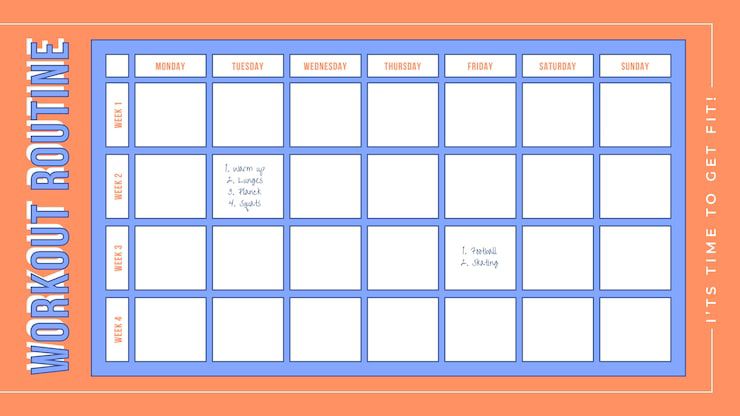
Content Calendar Template: Your Step-by-Step Guide to Organized Content Marketing
Introduction: Why Planning Content Matters
Today, content drives engagement, builds trust, and helps businesses grow. But posting randomly, without structure, can lead to wasted time and missed opportunities.
A content calendar template solves this problem by providing a clear framework for planning, organizing, and scheduling content.
For small businesses, a content calendar ensures consistent messaging, reduces last-minute stress, and helps you make every post strategic.
What Is a Content Calendar Template?
A content calendar template is essentially a prebuilt schedule or framework that lets you map out your content across platforms.
It usually includes:
- Dates for publishing
- Platforms where content will appear
- Topics/themes for each post
- Responsible team members
- Status of each post (draft, scheduled, or published)
By using a template, you can stop improvising daily and start posting strategically, ensuring all content aligns with your marketing goals.
Benefits of Using a Content Calendar Template
Using a content calendar template provides multiple advantages:
1. Consistency and Professionalism
A consistent posting schedule builds brand authority. A template keeps you on track so your audience knows when to expect content.
2. Time Management
By planning ahead, you avoid last-minute scrambling. A content calendar saves hours each week and frees your team to focus on quality content creation.
3. Better Collaboration
A clear template allows multiple team members to work together seamlessly. Writers, designers, and social media managers can see responsibilities and deadlines at a glance.
4. Strategic Focus
Instead of posting randomly, every piece of content can be tied to a business objective, whether it’s awareness, engagement, lead generation, or conversions.
5. Performance Tracking
Templates make it easier to compare planned vs. actual posts, track engagement, and use insights to refine future content.
Key Elements Every Content Calendar Should Include
A well-designed template should include:

- Date & Time: Specify when each post will go live.
- Platform: Identify where the content will be published (Instagram, LinkedIn, Facebook, website).
- Content Theme/Topic: What the post is about.
- Content Type: Blog post, image, video, infographic, newsletter, or story.
- Target Goal: Awareness, engagement, traffic, or conversions.
- Assigned To: Who is responsible for creating, editing, or posting the content.
- Status: Draft, scheduled, or published.
- Performance Metrics: Space to record likes, shares, comments, or click-throughs for review.
Including all these elements ensures your content is organized, measurable, and actionable.
How to Create a Content Calendar Template (Step-by-Step)
Here’s a practical, beginner-friendly guide to creating your content calendar template:
1. Define Your Goals
Start by identifying what you want your content to achieve. Examples:
- Increase brand awareness
- Generate leads
- Educate customers
- Highlight new services
For example, a Smethwick business promoting local services might focus on weekly tips, client success stories, and community highlights.
2. Choose a Format
Pick a format that suits your workflow and team:
- Stakflows: Flexible databases that combine scheduling, notes, and analytics.
- Google Sheets or Excel: Simple, easy to share, customizable.
- Trello or Asana: Visual boards with drag-and-drop cards for each post.
- Notion or Airtable: Flexible databases that combine scheduling, notes, and analytics.
3. Plan Your Posting Schedule
Decide how often you’ll post. Example:
- Monday: Educational tips or tutorials
- Wednesday: Behind-the-scenes content or staff highlights
- Friday: Customer success stories or product features
This approach keeps your content consistent and varied.
4. Brainstorm Content Ideas
Generate ideas based on audience interests and business goals. Examples:
- Frequently asked questions from clients
- Tutorials or “how-to” guides
- Special offers or promotions
- Local events or news relevant to Smethwick
5. Fill Out the Template
Add your topics, dates, platforms, and assigned team members. Include any captions, images, or links if possible.
6. Monitor and Adjust
Review engagement and performance regularly. Use insights to refine future planning and ensure your content resonates with your audience.
How Don-Clem Technology Helps You Create and Manage a Content Calendar
At Don Clem Technology, we help Smethwick businesses streamline their content planning and execution.
Our services include:
- Template Design & Customization: Tailored calendars for your business goals.
- Scheduling & Automation: Integrate tools that post automatically across platforms.
- Team Collaboration Setup: Assign tasks, deadlines, and approvals clearly.
- Performance Tracking & Optimization: Use data to refine strategy and improve results.
We make the content process simple, structured, and measurable by helping your business grow consistently online.
Conclusion
A content calendar template is more than a spreadsheet, it’s a strategic tool that helps your business stay consistent, organized, and effective online.
For small and growing businesses, mastering content planning is the first step toward building a professional, engaging digital presence.
With Don Clem Technology, you can create a content calendar template that’s easy to use, results-driven, and tailored to your goals, helping your brand thrive in the digital space.